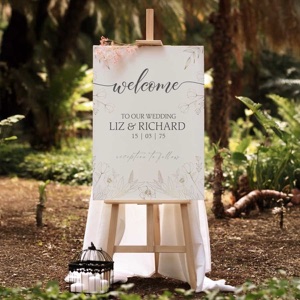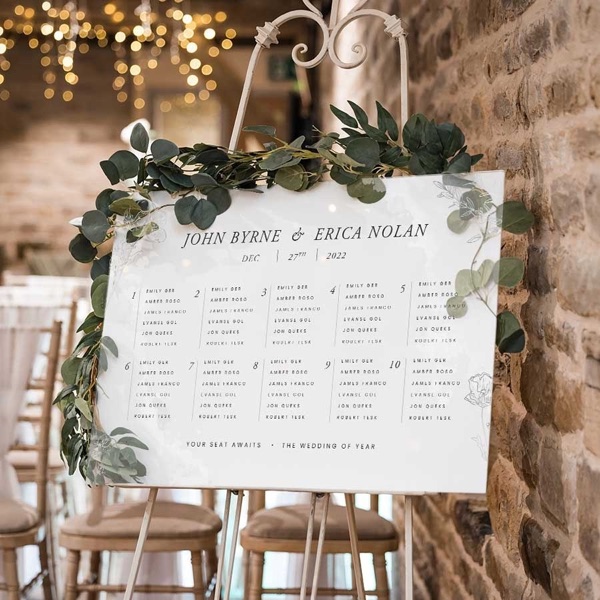
A table plan has one job: getting everyone to their seat without any confusion. We print wedding table and seating plans that are clear to read, match your wedding's style, and stand up on an easel at the door of the reception.
A0 or A1: sizing your table plan
A0 or A1 boards work best on a standard easel. They give your guests plenty of room to find their names without crowding round. Having a small wedding or a big one? Tell us your guest count and the venue space and we'll help you pick the right size.
Your table plan design, from a designer or Canva
You might have a graphic designer doing your table plan, or you might be putting it together yourself in Canva. Either works. If you're using Canva, we'll give you the exact dimensions you need.
Some couples use table numbers. Others name the tables after places or memories that mean something to them. You can list first names only, full names, or add surname initials if you've got a few Johns or Marys coming.
Last-minute changes to the seating plan
Guest lists change right up to the last moment. An aunt catches a cold, or a cousin's plus-one cancels. That's normal, and it's why our express service lets you order just two days before the wedding, with next day collection.
If you need the table plan shipped to the venue, we'll build in extra time. Things can go astray between couriers and venues.
Boards that stand straight on the easel
Our boards stand straight and strong on an easel, with no warping or bending, so they still look right in the photos. The text is clear and easy to read from a distance.
Setting out a seating chart guests can read
- Give it a clear title, like "Find Your Seat", or your names and the date.
- List names alphabetically under each table name. Guests find themselves quicker.
- Leave breathing room between names. Cramped text causes confusion in the pre-dinner rush.
- Double-check every spelling. We print what we receive.
- Put someone beside the chart for the first 15 minutes of the reception to help guests find their table.
Ordering your wedding table plan
Pick your size, A0 or A1. Send us your design, or build it in Canva to the dimensions we give you. Tell us your timeline, and we'll have it ready to collect or ship it straight to your venue.
We've printed hundreds of wedding table plans. Ring or email us with your wedding date and roughly how many guests you're having, and we'll talk you through the options.
If the table plan's sorted, the rest of our wedding print range covers the other signs and stationery for the day.
Wedding Table Plan
Place your order within
and we will dispatch your order on
What customers say
Fantastic company, made our wedding seating chart in no time and fantastic quality. Everyone I interacted with in the process was incredibly helpful and lovely too.
Aidan Burke
Great experience working with Issy! She showed us an example of the print job on the spot and was very quick to complete the printing of our wedding programs.
Emily Voortman
FAQs
A0 or A1. Both sit well on a standard easel and give guests room to find their names without crowding round. Tell us your guest count and the venue space and we'll help you pick.
Two days before the wedding, on our express service, with next day collection. Guest lists change right up to the end, so that's normal. If it's going to the venue by courier, allow extra time, because things can go astray between couriers and venues.
Yes. Tell us the size and we'll give you the exact dimensions to set up in Canva. A finished file from a graphic designer works too.
List guests alphabetically under each table name, so people find themselves quickly. Give it a clear title, leave space between names, and check every spelling, because we print what we receive.
Design Guidelines
To start, select the product size, preview the design guidelines, download the guidelines for reference, and proceed with the customisation options.